Remote Control Collection

3,8 (6 · RU)

Разработчик
Stephan Schultz
Устройства
Вышло
04.04.2015
Текущая версия
1.1 (09.04.2015)
Требует iOS
7.0
Размер
5 МБ
Языки
DA, EN, FR, DE, JA, ZH, ES, ZH

О приложении

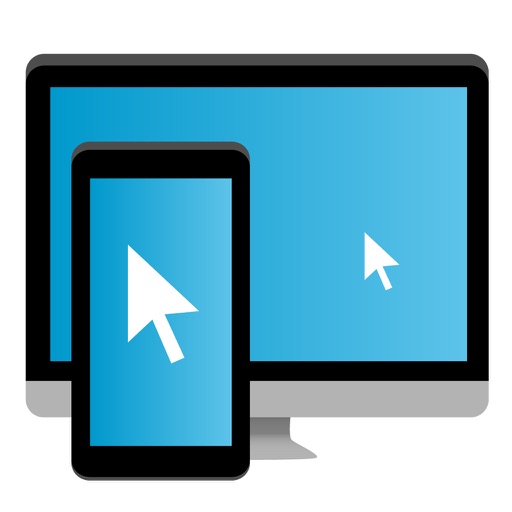
Use your iOS device as a remote for your Windows PC - Control the mouse, keyboard, media, presentations and more! The Remote Control Collection is a compilation of remotes, which you can use to wirelessly control your Windows PC. The unified remotes enable you to control the PC beyond mouse and keyboard! Included remote controls are: -Mouse -Keyboard -Live Screen (Pro) -Speech recognition -Media Player (Pro) -Slideshows (Pro) -Scroll -Shortcuts Mouse Remote Imagine your PC’s touchpad right on your iOS device. Multitouch gestures like scrolling and zooming are supported.

Бесплатно
Открыть в App Store

Скидок пока не было — следим за ценой с 25.11.2026

История цены

34 мин назадБесплатно

Цена проверена 34 мин назад

Что нового в 1.1

Minor bug fixes and performance improvements

Официальное описание

Use your iOS device as a remote for your Windows PC - Control the mouse, keyboard, media, presentations and more! The Remote Control Collection is a compilation of remotes, which you can use to wirelessly control your Windows PC. The unified remotes enable you to control the PC beyond mouse and keyboard! Included remote controls are: -Mouse -Keyboard -Live Screen (Pro) -Speech recognition -Media Player (Pro) -Slideshows (Pro) -Scroll -Shortcuts Mouse Remote Imagine your PC’s touchpad right on your iOS device. Multitouch gestures like scrolling and zooming are supported. You can toggle the keyboard to send keys at the same time. Keyboard Remote Use the physical or virtual keyboard to type characters and they will appear on your PC. Important keys like Windows, Escape and Control are also available. Desktop Remote See your PC's screen right on your iOS device live and control the mouse at the same time. Media Remote Control the media player of your choice! Supported are Windows Media Player, iTunes, Spotify, VLC, Media Monkey, Songbird and more. Presenter Remote Control your slideshows directly from your mobile device! The screen of your PC will be transmitted to your device in real time! That works with Powerpoint, Impress, Adobe Reader and Windows Media Center. Scroll Remote Easily navigate through long websites like Facebook, 9gag or something similar. Shortcuts Shutdown the PC from your bed or use the most common keyboard shortcuts to work faster. To receive the commands from the Remote Control App, you will need the Remote Control Server. You can download it for free from: http://ios-remote.com If you have trouble setting up a connection, follow this step-by-step guide or watch the video tutorial at: http://ios-remote.com/help/

Похожие приложения

PaliCADПроизводительность
599 ₽
iFilesПроизводительность
349 ₽