Что нового в 1.54.0
What's new in 1.54.0
Listen no longer gets in the way while you use the rest of the app. On iPhone, a compact bar sits at the bottom of other screens, hides while you type, and opens Now Playing when you tap it. iPad moves Now Playing to the bottom of the sidebar. On Mac, leaving the reader during playback opens a mini player window, and the menu bar now has its own Now Playing card. Leave a paused item behind and the app saves your place and clears the player.
Only one voice plays at a time now. Read Aloud and dictation pause narration, then pick it back up from the start of the sentence they interrupted. Recording a voice note or starting a voice conversation pauses it until you choose Resume.
• Local GGUF models start follow-up replies and multi-step tool calls sooner in text chats. They keep what they've already read and only process what's new. Stop also works while a long prompt is still being read.
• Many built-in local models now get the conversation in the format they were trained on. Replies come out cleaner without stray tags at the end, and the context meter fills more slowly so you have more room for longer chats and documents. If you set up a chat format yourself, Manual Format now separates Prompt Start and Turn Start.
• Pin up to four tools in the tool picker so they start on in every new AI Chat. Saved chats now remember their tools when you reopen them, and Tools & Workflows in Settings has a cleaner layout with On/Off switches for MCP servers.
• The sidebar keeps your pinned order whichever workspace is open, with chats, recordings, and speech history grouped by date. Unnamed voice notes now use the start of their transcript as a title, and every header puts New first and Settings last.
• On Mac, Text Note, RSS Feeds, and AI Browser get global shortcuts, and the menu bar opens more workspaces. Text to Speech no longer has a global shortcut.
• Touch and hold the app icon on iPhone or iPad for New Text Note, Record Voice Note, New AI Chat, and Continue Listening (or RSS Feeds when nothing is queued). Record Voice Note starts recording right away once microphone and speech access are granted.
• If the drive with your models is unplugged, only the models stored on it show as unavailable. Settings lists it as Previous Folder, where you can Reconnect or Forget it.
A few screens got smaller cleanups too. AI Chat opens with starter prompts, Listen Library rows show progress bars, and RSS previews strip raw markup to plain text. On iPad and Mac, Record is now the main button in Voice Note, and saved recordings keep their playback controls in view so you can tap any timestamp to jump right to it. Text to Speech playback adds 15-second skip buttons and shows readable voice names instead of internal IDs.
Официальное описание
On-Device AI puts chat, listening, transcription, notes, and research in one private app for iPhone, iPad, Mac, and Apple Vision Pro. Your data stays on your device.
Download a model once and keep working on a plane, on the subway, or without a signal. Chats, documents, recordings, and notes stay local. Online providers and web features stay off until you turn them on.
ONE APP, YOUR WAY
Open every workspace from a customizable Menu. Keep favorites under Pinned and everything else close by under Available.
AI CHAT
Chat with local or cloud models.
• Run local models from families such as Gemma, Qwen, DeepSeek, and Mistral, or connect a cloud provider account or your own model server
• Browse, download, and manage models that fit your device for text, vision, reasoning, and tools
• Import GGUF models from Hugging Face; the app checks the chat template and sets it up before downloading
• Queue follow up questions while a reply runs, and switch chats without losing it
• Drop in documents, images, and scanned PDFs; approve private on-device OCR only when a PDF needs it
• Fork any conversation and compare several models on the same prompt
• Let the model use tools for calculations, web requests, documents, Calendar, and Reminders, pin favorites for new chats, and review changes first
• Create reusable Agent Profiles, then add AI Skills, MCP servers, and tools from one Agent Workflows setup
• Keep facts you repeat often in Global Memory
LISTEN LIBRARY AND RSS FEEDS
Read less, listen more.
• Turn PDFs, Markdown, plain text, web articles, and scanned books into a listening queue
• Scan photographed pages, correct the OCR the app runs on device, and keep each page with its spoken text
• Follow sites through RSS, Atom, and JSON feeds, then send articles to Up Next
• Choose Apple or local neural voices, follow along in the reader, set a sleep timer, and keep listening from a mini player
VOICE NOTE, VOICE TYPING, AND TEXT TO SPEECH
Speak instead of typing, and listen instead of reading.
• Record and transcribe meetings, lectures, interviews, and quick ideas
• Dictate with Voice Typing on Mac or the voice keyboard on iPhone and iPad
• Transcribe with Apple Speech, Whisper, Parakeet, Nemotron, Qwen3-ASR, MOSS, and other engines
• Turn text, or text captured from a photo, into audio with Apple voices, Kokoro, Supertonic, VoxCPM2, IndexTTS2, and other engines
• Export transcripts as text, subtitles, or Markdown
AI SEARCH AND AI BROWSER
Research with a second pair of hands.
• Search the web in a conversation and let the model read the results for you
• Browse with tabs, profiles, history, and downloads, then ask your model to read, assist, or act on the page
• Hand a task to the browser agent, watch each step, and take over whenever you want
KNOWLEDGE AND TEXT NOTE
Give your AI your own material to work from.
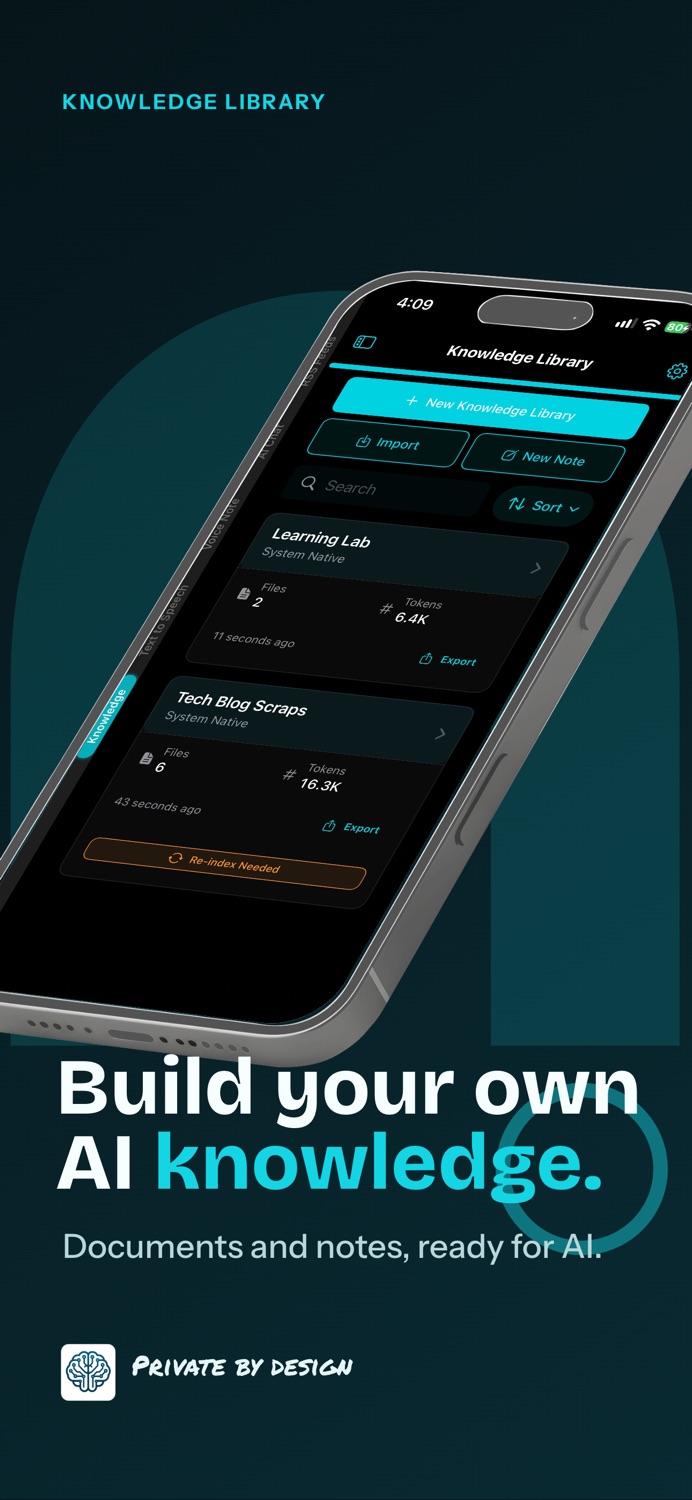
• Add PDFs, text, Markdown, code, images, and website content to a private searchable library
• Write and edit Markdown notes in the app
• Import AI chats, voice notes, Text to Speech items, and AI Search results
• Tune retrieval and index edited content again
APP HELP
Ask how a feature or setting works. App Help answers from a guide that ships inside the app, keeps help out of your saved chats, and points to the right settings.
MADE FOR APPLE DEVICES
• Native layouts for compact and large screens, with a pinned sidebar and history grouped by date
• Home Screen widgets for Listen and notes, plus app icon quick actions including New AI Chat
• Siri, Apple Shortcuts, App Intents, the Mac menu bar, and keyboard shortcuts you can customize
• Apple hardware acceleration for supported local models
• Store models internally, on an external drive, or on a shared volume, with separate tools for cleanup and recovery
• Interface in English, Dutch, French, German, Italian, Japanese, Spanish, Portuguese, and Traditional Chinese
EULA: https://www.apple.com/legal/internet-services/itunes/dev/stdeula/
История цены
Цена проверена 25.11.2026