1BitPencil

HALVAL Ltd. · Графика и дизайн, Образование

Разработчик
HALVAL Ltd.
Устройства
Вышло
12.03.2024
Текущая версия
2.5.0 (02.09.2026)
Требует iOS
16.6
Размер
30 МБ
Языки
EN, FR, DE, JA, KO, PT, ZH, ES…
Возраст
4+

О приложении

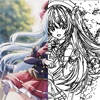
***This app requires an Apple Pencil or a compatible stylus.*** **About “1BitPencil”** 1BitPencil is all about a **high-resolution 1-bit (black & white) canvas**. Even the ultra-realistic pencil tool draws in pure black and white. It’s a high-resolution monochrome drawing app, perfect for **illustration, manga, animation, and school notes**. With a uniquely realistic pencil tool, 1BitPencil aims to recreate the feeling of drawing on paper in a fully digital environment. You can flip through pages and switch between files quickly, just like turning pages in a sketchbook. The app supports…

599 ₽
Открыть в App Store

Скидок пока не было — следим за ценой с 21.11.2026

История цены

21.11.2026599 ₽

Цена проверена 26 мин назад

Что нового в 2.5.0

Added a bucket fill tool. A new file icon is now displayed when the upper or lower slot of the Trace Box is empty. Updated the help messages for Undo and Redo. Improved the stability of the auto-save process. Improved the behavior of the text feature. Fixed multiple bugs in the text feature. Fixed a bug where the pressure sensitivity value was set to 4901 on a new installation of 1BitPencil.

Официальное описание

***This app requires an Apple Pencil or a compatible stylus.*** **About “1BitPencil”** 1BitPencil is all about a **high-resolution 1-bit (black & white) canvas**. Even the ultra-realistic pencil tool draws in pure black and white. It’s a high-resolution monochrome drawing app, perfect for **illustration, manga, animation, and school notes**. With a uniquely realistic pencil tool, 1BitPencil aims to recreate the feeling of drawing on paper in a fully digital environment. You can flip through pages and switch between files quickly, just like turning pages in a sketchbook. The app supports work up to **A3 size at 2400 dpi**, and exports your artwork as **single-color PNG files**. There are no layers, but you can use tracing, clean-up, and merge functions for essential editing. If you’re looking for a **simple yet high-quality drawing environment**, 1BitPencil offers a fresh and focused creative experience. **Brush tools** * Pen * Pencil * Mechanical pencil * Lasso pen * Lasso pencil * Smudge * Dot shading * Tone lasso * Tone pen **Eraser tools** * Eraser * Kneaded eraser * Lasso eraser * Lasso kneaded eraser * Dot kneaded eraser **Selection tools** * Rectangular selection * Lasso selection **Canvas navigation** * Move * Rotate * Zoom in / out **Sharing features** * Paste from Photos * Share * Copy to clipboard and paste **Trace box** * Change drawing color and background color * Load an underdrawing * Merge and save **Other features** * Create animation videos (.mp4, .gif, .apng) * Export to PDF * Timelapse recording * Snap to straight line * Stroke stabilization * Pen tilt sensitivity * Smudge or eraser with touch * Display gamma adjustment **File management** * Create new folders * Rename multiple files with sequential numbers * Duplicate multiple files

Похожие приложения

ProcreateГрафика и дизайн
999 ₽
ToonSquidГрафика и дизайн
899 ₽
PaintHiГрафика и дизайн
15 ₽